Advanced · 15 minutes
Use Mac Virtual Display in a Locus Place.
Connect your Mac before you enter Virtual Space, then keep its screen beside your Locus Browser windows.
Requires Apple Vision Pro Developer ModeCheck the normal Apple requirements first
Make sure Mac Virtual Display works outside Locus before changing a developer setting. Your Mac and Apple Vision Pro need compatible software, the same Apple Account with two-factor authentication, and the connectivity settings in Apple's Mac Virtual Display guide.
1 · Enable
Allow Mac Virtual Display in immersive apps
You need a Mac with Xcode, which is free on the Mac App Store but a large download. A paid Apple Developer Program membership is not required. These steps were checked against visionOS 27 and Xcode 27 in October 2026.
- Put both devices on the same Wi-Fi network. Apple requires IPv6 on that network to pair Apple Vision Pro wirelessly. Many home routers turn IPv6 off by default.
- On Apple Vision Pro, open Settings → General → Remote Devices. Keep it open so your Mac can find the headset.
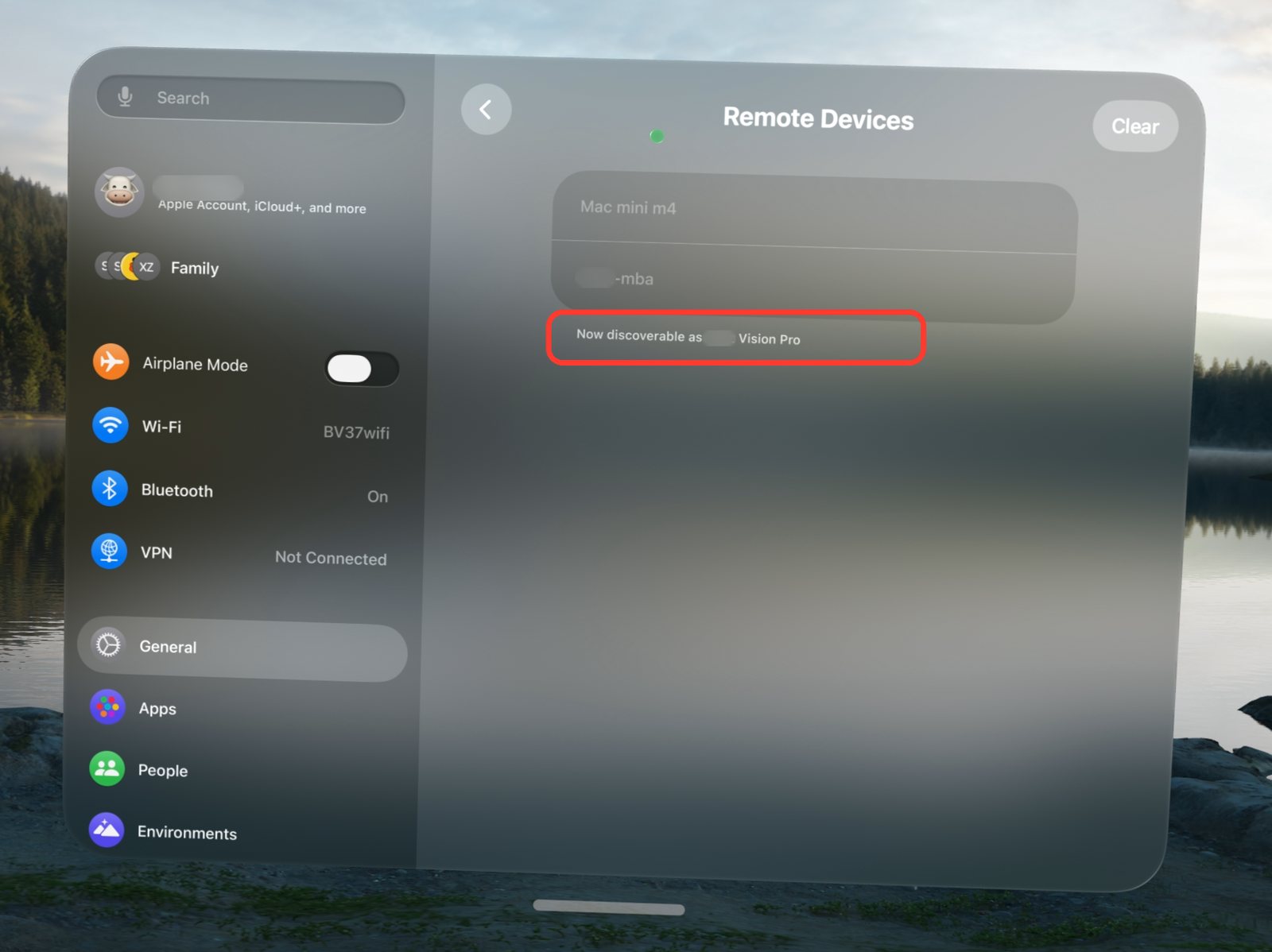
Leave Remote Devices open. The note under the list shows that the headset is discoverable. - On your Mac, open Xcode → Open Developer Tool → Device Hub. Click the Add Device button (+), choose Pair Nearby Device…, select your Apple Vision Pro, and enter the PIN shown in the headset. Older versions of Xcode use Window → Devices and Simulators instead.
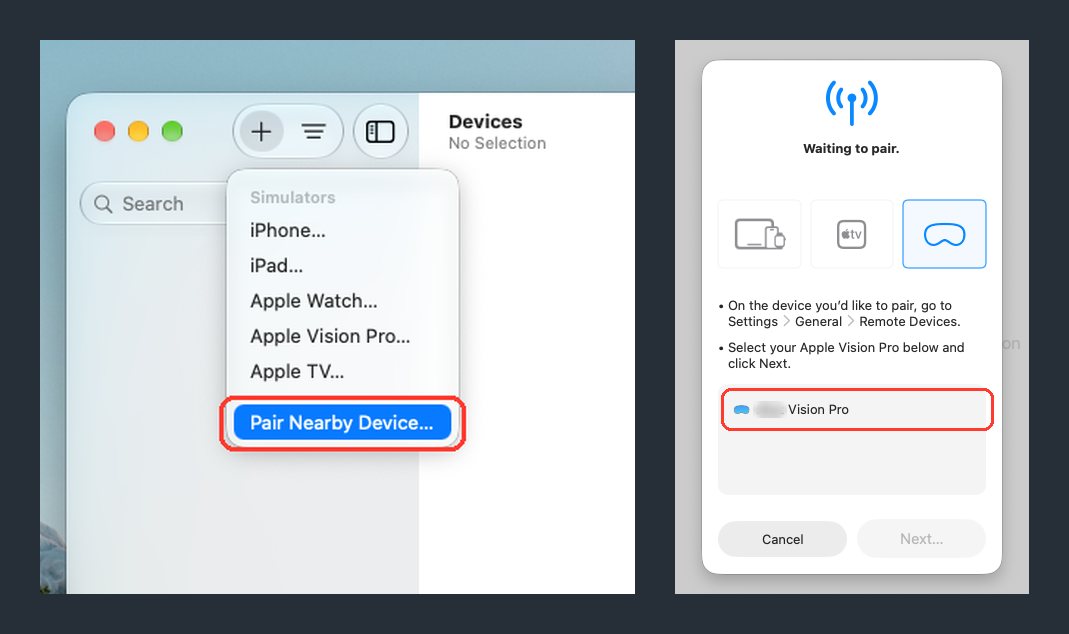
Pair Nearby Device opens the pairing sheet. Choose the Apple Vision Pro icon, select your headset when it appears, then click Next. 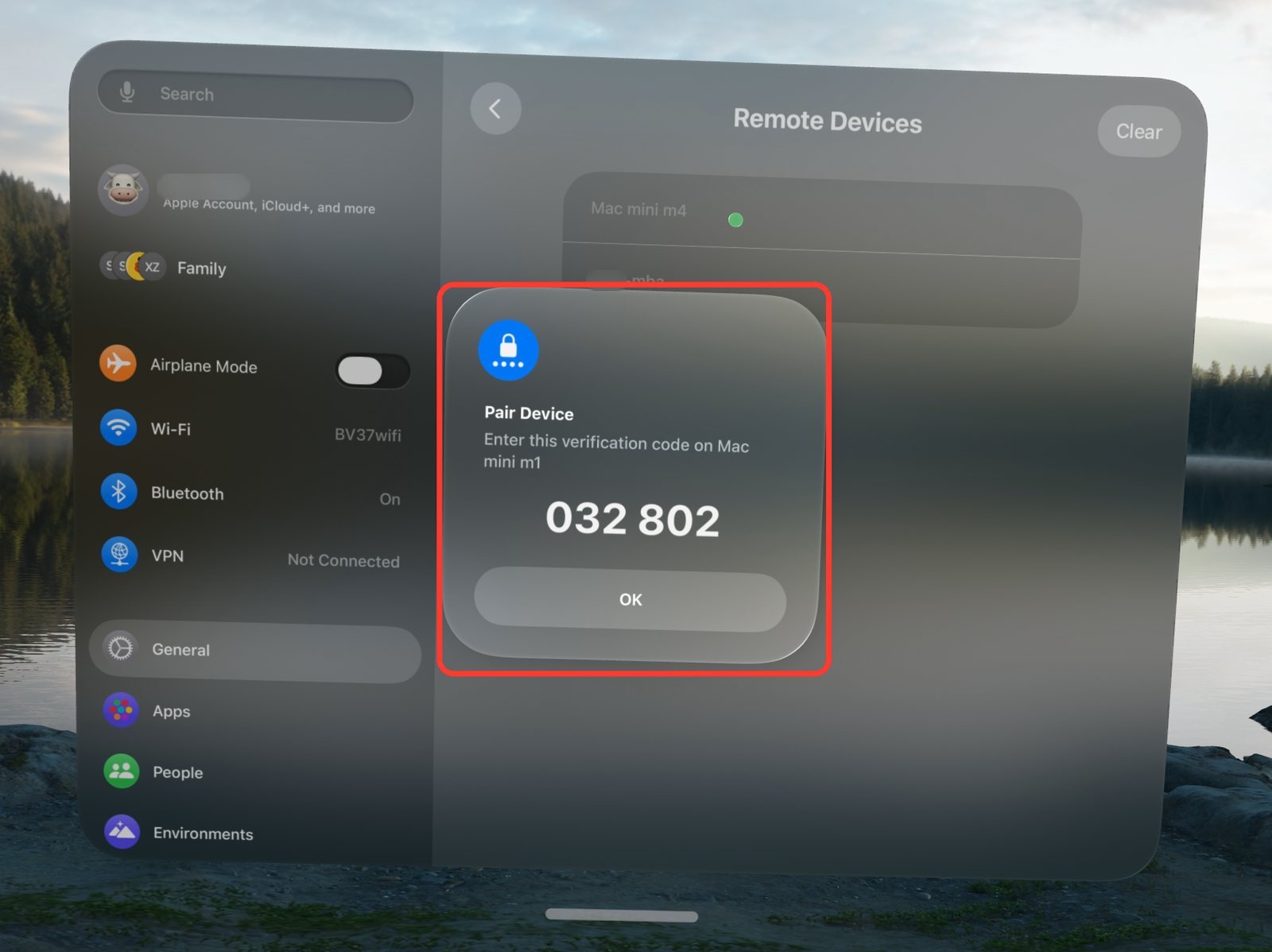
The headset shows a six-digit code. Type it into the sheet on your Mac. - Tap Trust when Apple Vision Pro asks whether to trust this computer.
- Open Settings → Privacy & Security → Developer Mode and turn it on. The switch only appears after pairing has started. Tap Restart, then confirm Developer Mode again after the headset restarts.
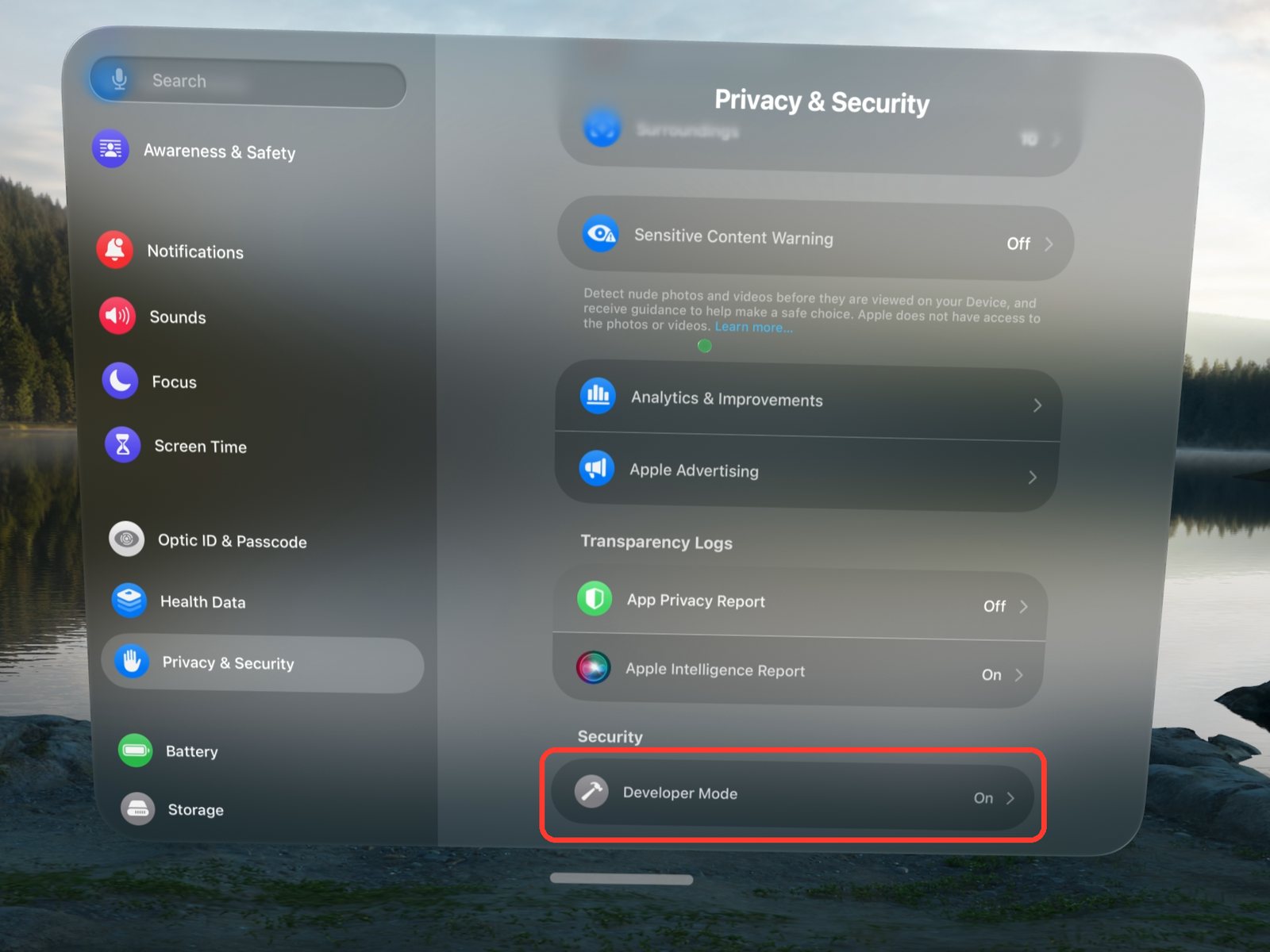
Developer Mode is at the bottom of Privacy and Security, under Security. - Open Settings → Developer and turn on Allow Mac Virtual Display.
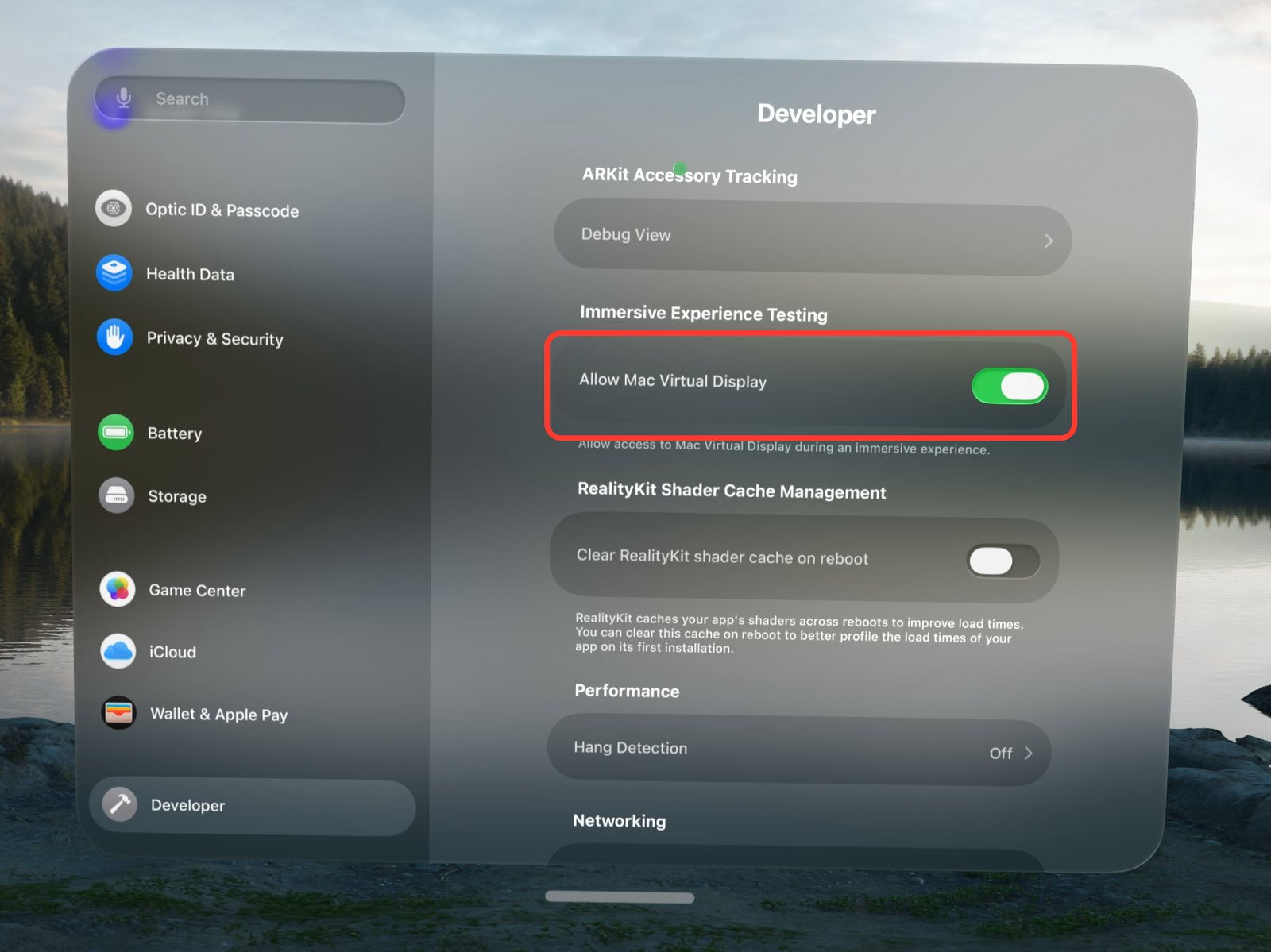
Allow Mac Virtual Display is in the Immersive Experience Testing group.
Prefer to watch? Spatial Insider’s video walkthrough shows the same steps in an older Xcode, from pairing to turning on Allow Mac Virtual Display.
Developer Mode is a device-wide Apple setting intended for development, and Apple warns that it reduces the security of the device. Turn it on only if you are comfortable with that tradeoff. To undo it, turn off Developer Mode in Settings → Privacy & Security and restart.
2 · Connect
Open Mac Virtual Display first
- Open Control Center on Apple Vision Pro.
- Connect to your Mac with Mac Virtual Display. Wait until the Mac window is visible and usable.
- Open Locus and enter your Place.
- Move the Mac window where it is comfortable. visionOS owns the window, so use its normal controls.
Know what Locus controls
visionOS—not Locus—creates, places, streams, and controls the Mac window. Locus cannot restore the connection, choose its resolution, or move the window for you. If the Mac window disappears or disconnects, exit the Place, reconnect from Control Center, then enter the Place again.
If the Mac window sits behind a desk, wall, or foliage, move it out, or keep windows in front of the Room. Choose Settings in the Locus bar and pick Windows & Crown under Immersion, or turn on the Immersion dial. With the dial on, every window stays in front of the Room, including Mac Virtual Display. Both have tradeoffs: with the dial on, visionOS shows your physical keyboard only while you type, and in Windows & Crown the keyboard can drift against the desk as you move your head. Desk & Surroundings keeps the keyboard steady. See the FAQ on keeping windows in front.